

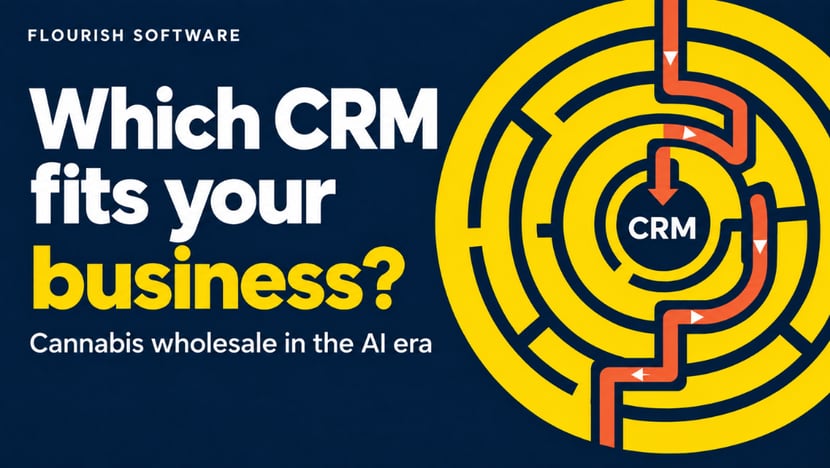
How to Choose a CRM for Cannabis Wholesale in the AI Era
Most wholesale cannabis operators don't decide to run sales out of a spreadsheet. They grow into it. One rep keeps a tab on accounts, another keeps notes on his phone, and the ERP holds the orders that have already occurred. It works until the third rep joins, or the second state opens, and nobody can answer a simple question: which accounts haven't been contacted in 30 days?
An ERP is built to answer the question of what happened to the inventory. A CRM is built to answer the question of what's happening with the buyer. Those are different jobs, and the last 18 months have made the buying decision harder, not easier, because every vendor in the category now has an AI story attached.
This is a practical guide to choosing that system when you're an operator, not a software specialist. We have some skin in this game, and we say so below.
Your ERP Is Not a CRM, and Your Spreadsheet Never Was
Your seed-to-sale platform is the system of record for inventory, compliance, production, and fulfillment. It isn't built to run proactive outreach. When sales activity lives outside of it, four specific things break:
- Call history disappears when a rep leaves. The account relationship walks out with them.
- Follow-up depends on memory. Orders arrive by text, email, and phone, and re-engagement happens when someone remembers to do it.
- Rep performance is invisible. You can see closed orders. You can't see the outreach volume, pipeline, or which accounts went quiet.
- Re-order cycles are manual. Nobody is systematically working the accounts that used to buy every three weeks and haven't ordered in six.
A dedicated CRM logs the conversation, tracks emails, measures activity, and automates touchpoints. Your operational platform continues to own the order, the manifest, the invoice, and the inventory count. You want both, connected, not one pretending to be the other.
Draw the Line Before You Shop: What Belongs in Each System
The mistake that costs the most is buying a CRM to do work your operational platform already does, then running both and reconciling by hand. Before you look at a single demo, write down which system owns what.
Here's where the line sits in Flourish. Wholesale fulfillment handles Invoice Automation, generating and sending invoices when an order completes. It handles Payment Tracking for overdue accounts and alerts, Mark as Paid, AR Aging Reports showing how long invoices have been outstanding, and Payment Terms Configuration. It handles Tiered Pricing Structures that apply different price levels by customer segment or order volume, as well as promotional discounts in the order interface.
On the buying side, the inbound module covers purchase orders with full API coverage, standard versus actual costing, and the ability to report on purchase price variance and non-cannabis inventory alongside cannabis inventory. On the floor, the mobile app scans barcodes and RFID to locate plants, change phases, and pick, pack, and ship, and connects to a Bluetooth scale to capture wet weights during harvest.
None of that is CRM work. Pricing rules, invoices, AR aging, and fulfillment belong next to the inventory they depend on. What a CRM adds is the layer above: whom you called, what they said, which accounts went quiet, and what happens next.
Battle-Tested Systems vs. Fast-Built AI Tools
AI features are now attached to nearly every sales tool on the market, including a wave of small, fast-built products. Some are durable systems. Some are a thin layer over someone else's model, with your customer list inside it.
You don't need to evaluate the code. You need to ask four questions and listen to how fast the answer comes back.
- Security and access. Does the system support two-factor authentication, role-based permissions, and SSO? Can you revoke a terminated rep's access in one click? If the answer involves a shared login, stop there. Your buyer list, pricing, and contact data are competitive assets.
- Stability and support. What's the uptime record, and who do you call at 6 pm on a Friday? A CRM that loses call notes is worse than a spreadsheet, because your team will stop trusting it and quietly go back to their own tabs.
- Integration reality. Does it connect to your operational system through a documented API, or is it an island? An island means double entry, and double entry means two records of the same order that nobody reconciles. Ask for the API documentation before the contract, not after ours is public.
- Vendor durability. How long has the company been in business, who funded it, and what happens to your data if it shuts down? Ask specifically about export: full history, standard format, on demand.
Any vendor who can't answer the export question in one sentence has told you something.
HubSpot and Salesforce: What the Published Prices Actually Say
Both are real systems with real security postures. The tradeoff isn't quality. Its fit, cost structure, and public pricing make that unusually clear.
Salesforce publishes the Starter Suite at $25 per user per month and the Pro Suite at $100 per user per month, with the Sales Cloud editions above them at $195 for Core, $395 for Advanced, and $550 for Max, all billed annually. HubSpot publishes Sales Hub Starter at $7 per seat per month billed annually, Professional at $90 with a required $1,500 one-time onboarding fee, and Enterprise at $150 with a required $3,500 onboarding fee.
The sticker is only half the story. Salesforce's capability lives in configuration, which is why a large partner ecosystem exists around implementing it. That configurability earns its keep when you have complex territory rules, a large rep organization, or enterprise procurement requirements. If you run a handful of reps and a short sales cycle, you're buying depth you won't use.
HubSpot's tradeoff runs the other way, though "cheaper" is the wrong word for it. Onboarding fees are fixed and published, but Agent Hub runs on HubSpot Credits, which is consumption pricing bought in packs or pay-as-you-go. Model your likely usage before you compare the two on seat price alone. All figures here are list prices as of September 2026.
On the AI question specifically, HubSpot's current offering is Agent Hub, a set of named agents rather than a single assistant, configured in plain language through Breeze Assistant. The one worth a wholesale operator's attention is the Revenue Agent, built to automate invoice follow-up and reminders. Confirm current availability with HubSpot before you plan around it. Agent rollouts move quickly, and not everything announced is switched on in every portal.
One disclosure, because it should affect how you read this section. Flourish has been a HubSpot customer for over five years and is a HubSpot Solutions Partner, certified in areas including data integrations and solutions architecture. We implement and migrate HubSpot for cannabis and hemp operators across Marketing, Sales, Operations, and Service Hub. We also build Salesforce integrations for enterprise clients. We have a commercial interest in HubSpot. Both vendors publish the pricing above. Check it yourself.
Ready to connect your CRM to the system that actually moves the product? Book a demo with Flourish Software.
Three Questions to Ask Before You Sign
- What will your reps actually open every day? Run the trial with your two most resistant reps, not your most enthusiastic one. If they won't log a call in week two, no feature list matters.
- Is your growth motion field sales or inbound? Field-heavy teams need mobile logging, territory support, and account history in the rep's hand. Inbound-heavy teams need forms, lead scoring, and nurture sequences. Buying the wrong emphasis is how teams end up with an expensive contact database.
- Does it connect to your order and inventory system? A CRM that can't see order history is guessing. Flourish connects order and customer data to HubSpot so reps work from actual purchase behavior, supports Salesforce integration projects for enterprise deployments, and exposes a documented API and webhook engine plus Zapier for everything else. Your invoicing, AR aging, payment terms, and tiered pricing stay where they belong, in wholesale fulfillment, alongside the inventory.
Audit Your Order-to-Cash Path Before You Shop Vendors
Don't start with a demo. Start with a map.
Write down every place an order can enter your business: text, email, phone, rep visit, marketplace, wholesale portal. Then write down where the record of that conversation lives today, and where it goes when the person who owns it is out. The gaps you find are your actual requirements list, and it will look nothing like the feature grid a vendor sends you.
Then evaluate three things in this order: whether your reps will use it, whether it securely stores your data and returns it on demand, and whether it connects to the system that manages your inventory and fulfills orders. Pick the platform that clears all three. The AI features will keep changing. The connection between your buyer relationships and your operation is what you're actually buying.
Ready to connect your CRM to the system that actually moves the product? Book a demo with Flourish Software.